
Brake Pad Wear Indicators Every Driver Should Know
A faint squeal during a morning drive through Sun City can be easy to dismiss, especially if the car still stops normally. Then a brake warning light appears during a quick stop near the grocery store, and the question changes from “What’s that noise?” to “Can I safely keep driving?”
That small sound or dashboard alert is your vehicle’s way of asking for attention. Brake pad wear indicators are early-warning devices, not complete brake diagnoses. They can tell you that friction material is nearing its service limit, but they can’t identify every problem affecting calipers, rotors, brake fluid, or uneven pad wear.
When Your Brakes Start Warning You
A driver heading east on Bell Road may hear a thin, high-pitched squeal during a light brake application. The sound may disappear when the pedal is pressed harder, then return at the next stop. Later, a brake warning light may glow on the dashboard, even though the vehicle still feels familiar.
That combination deserves prompt attention. Stop-and-go driving around the West Valley asks the brakes to work repeatedly, and hot Arizona afternoons can add heat to a system that already handles frequent slowing. A warning doesn’t automatically mean the vehicle is about to lose braking, but it does mean the system has reached a point where inspection matters.
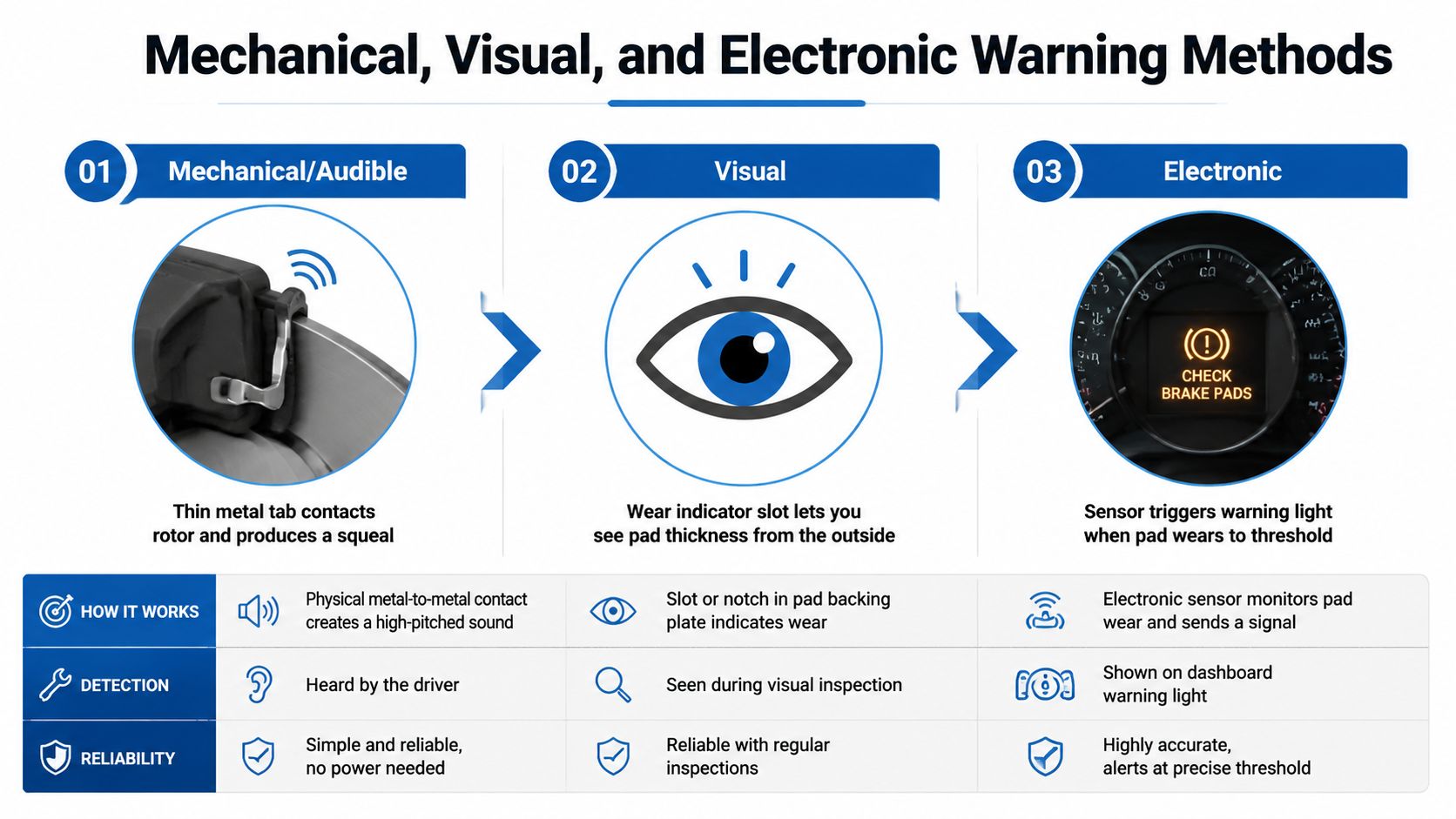
Brake systems communicate in stages. A mechanical tab may touch the rotor and create a squeal. A visual slot may show that the friction material is nearly gone. An electronic sensor may trigger a dashboard message. Each signal points toward service, but none of them confirms the condition of every brake component.
Practical rule: A warning light or persistent squeal is a reason to arrange an inspection, not a reason to wait for grinding.
Ignoring the first alert can allow a routine pad replacement to become rotor, caliper, or ABS-related work. Drivers can review more warning-light guidance through the brake system warning light resources and arrange an evaluation before the symptoms become harder to interpret.
What Brake Pad Wear Indicators Do
Brake pad wear indicators provide an early warning that the friction material is becoming thin and service planning is needed. A small metal tab may create noise, a groove or step may help show remaining material, and an electronic sensor may send a message through the vehicle’s warning system.
The signal is more like a low-fuel gauge than a complete inspection. It suggests that the pad’s reserve is running low, but it cannot report the condition of every brake part. The indicator does not measure rotor thickness, brake-fluid condition, caliper movement, or the wear of every pad on the axle.
A common warning threshold is about 2 mm of remaining friction material, according to HELLA’s technical explanation of brake pad wear indicators. Inspection guidance commonly places 2 mm to 3 mm in the range where replacement should happen soon or immediately. 3 mm to 4 mm may provide a practical margin for arranging service, as explained in this brake pad thickness guide. Actual wear can differ between the inner and outer pads, especially when a caliper is sticking or hardware is not moving freely.
An electronic warning can also create confusion after repairs. Replacing the pads may not turn off the message if the sensor, wiring, or reset procedure still needs attention. A warning indicator points to a brake-wear concern, not automatically to one specific failed part.
A proper inspection compares inner and outer pads, examines the rotors, and checks the caliper and related hardware. That is how a technician finds one-sided wear, dragging components, or another cause behind the warning.
Mechanical, Visual, and Electronic Warning Methods
Most drivers encounter one of three warning designs. They overlap in purpose, but they give you different kinds of information.
Mechanical and audible indicators
A mechanical indicator, often called a squealer tab, is a thin metal piece attached to the brake pad. As the friction material becomes low, the tab contacts the rotor and produces a sharp squeal. That sound usually means pad replacement is due soon, but it doesn’t show whether the opposite pad is wearing evenly or whether a caliper is dragging.
Visual indicators
Some pads include a slot or stepped section in the friction material. Looking through the wheel spokes may let you estimate the remaining material without removing the wheel. This is useful between service visits, although the outer pad may look healthier than the inner pad, so a view through the spokes isn’t a complete inspection.
Electronic indicators
An electronic sensor uses a wire embedded in the pad. When wear reaches the sensor, the circuit can trigger a dashboard warning. The alert is convenient because you don’t need to hear a squeal, but the system may monitor only a particular pad or wheel. A warning light may also remain on after service if the sensor, wiring, or reset procedure wasn’t handled correctly.
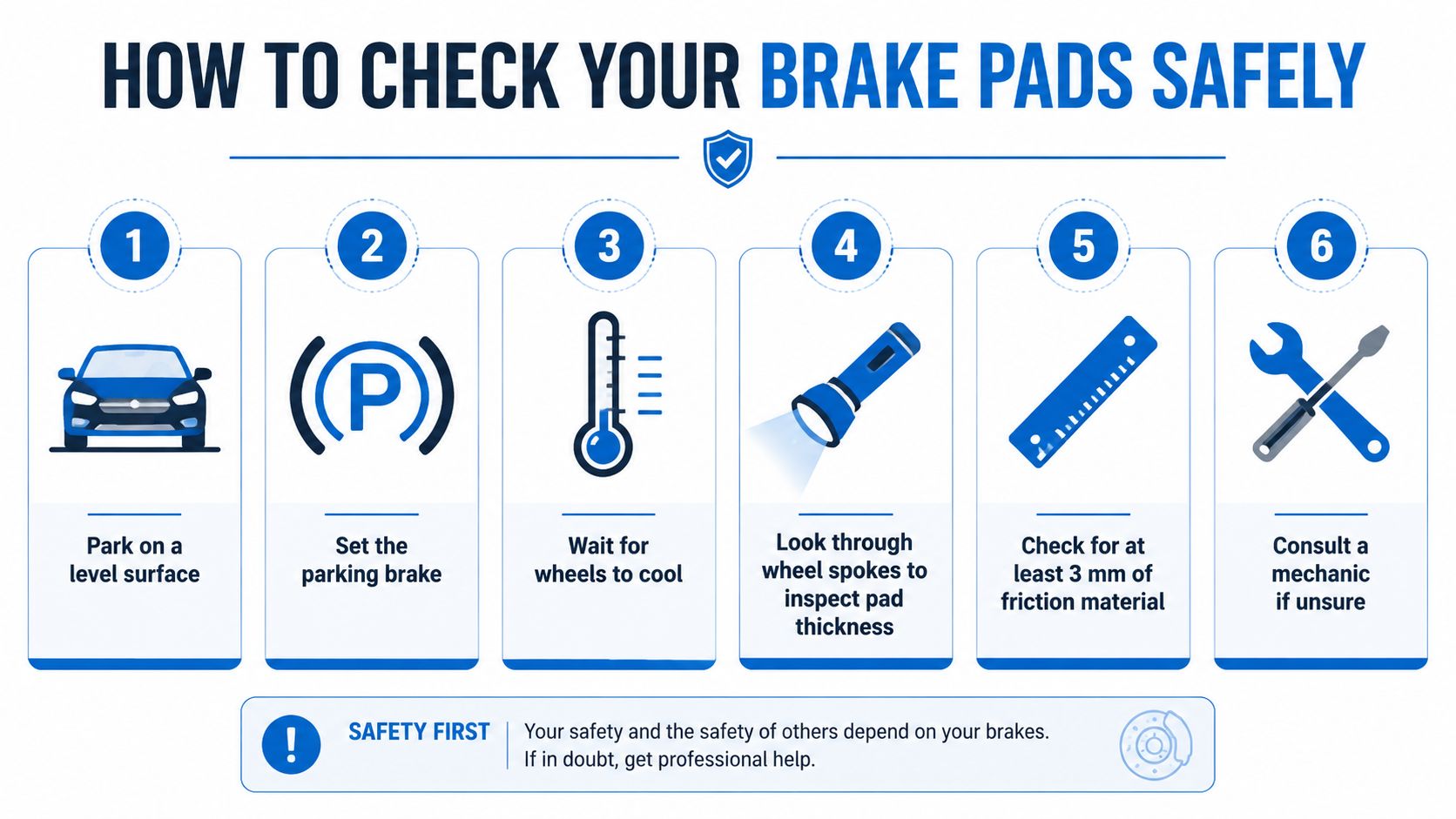
The practical comparison looks like this:
| Method | What you notice | What it cannot confirm |
|---|---|---|
| Mechanical | A high-pitched squeal during braking | Caliper condition or uneven wear |
| Visual | A slot or reduced friction material | Inner-pad condition without a fuller inspection |
| Electronic | A dashboard warning | Whether the light comes from worn material, damaged wiring, or a reset issue |
How to Check Your Brake Pads Safely
You can perform a basic visual and listening check between professional service visits. This isn’t a substitute for lifting the vehicle safely or inspecting the inner pad, but it can help you recognize a developing concern.
- Park on level ground. Set the parking brake and place the vehicle where it won’t roll.
- Wait for the wheels to cool. Brake components can remain hot after normal driving, especially after repeated stops.
- Use a flashlight. Look through the wheel spokes at the pad edge and rotor. Note the visible friction material, deep grooves, shiny scoring, or a clear difference between pads.
- Listen carefully. In a safe, empty area, make a slow test drive. Pay attention to squealing, scraping, or grinding.
- Notice vehicle behavior. A pull during braking, pedal pulsation, or a soft pedal needs more than a pad-thickness check.
- Read the dashboard. A brake warning icon or service-brake message should be recorded and reported to a technician.
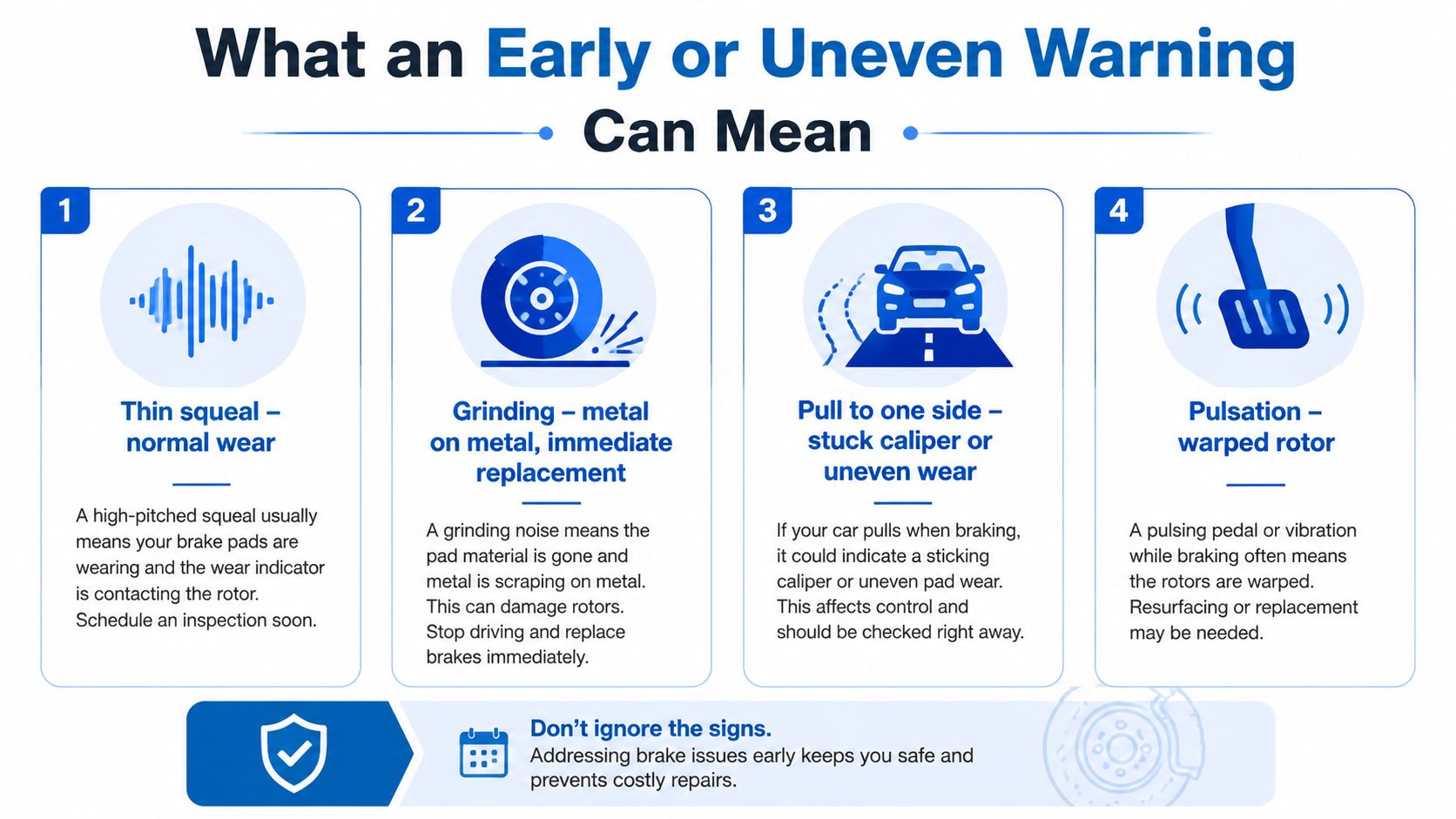
If the visible friction material is below 3 mm, the backing plate is exposed, brake fluid is leaking, or a warning remains illuminated, schedule professional service. Don’t put your hands near a wheel or brake assembly that hasn’t cooled, and don’t rely on a flashlight check if you can’t clearly see the pad.
What an Early or Uneven Warning Can Mean
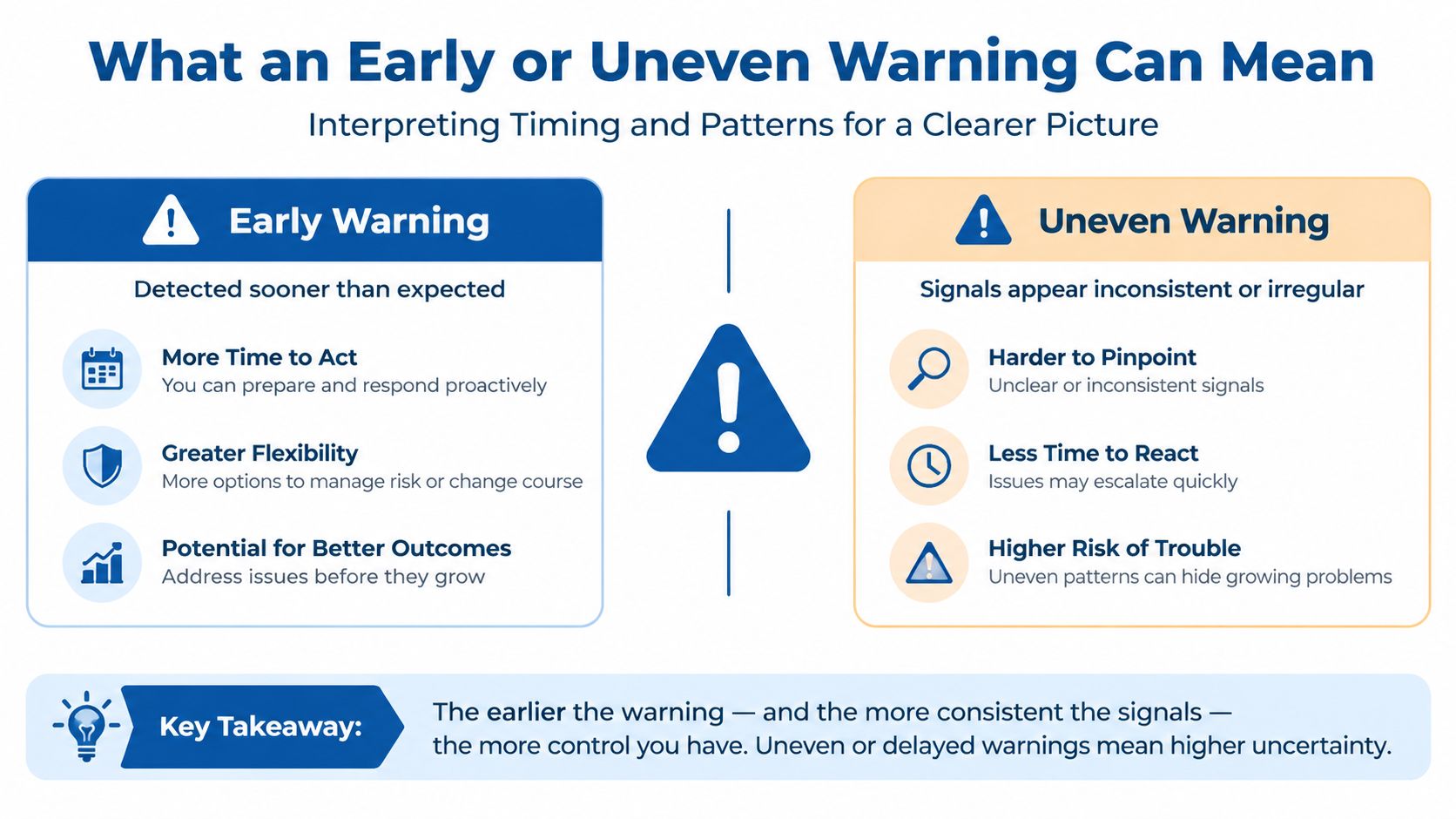
A squeal doesn’t always mean every brake component is worn out, and a warning indicator doesn’t prove that the pads are wearing evenly. One-sided wear is a diagnostic clue. Seized calipers, dragging pads, restricted movement, or installation problems can cause one pad to wear faster than its partner.
The symptoms help narrow the concern:
- Thin, high-pitched squeal: The pad may be near its indicator threshold, although moisture, rust, debris, or installation conditions can also create noise.
- Harsh grinding: The friction material may be gone, allowing metal contact that can damage the rotor. Treat this as urgent.
- Pulling left or right: Uneven braking force, a sticking caliper, or contaminated friction surfaces may be involved.
- Pulsation: A rotor surface or runout problem may transmit vibration through the pedal.
- Soft or unusually low pedal: Air, a leak, or a hydraulic component issue may be present.
Replacing the pads without correcting a sticking caliper or damaged rotor can leave the original symptom in place.
This is why a technician compares pad thickness from side to side, checks caliper slides and pistons, examines the rotor surface, and inspects the hardware. For drivers dealing with a harsh sound, the grinding noise when braking guide offers a useful reminder that grinding should not be treated like an ordinary wear squeal.
Replacement Timing, Sensors, and Safety
Brake pad replacement should follow measured wear and the condition of the complete brake assembly. Mileage alone can mislead because traffic, driving habits, vehicle load, towing, and pad compound all change how quickly friction material disappears. A Sun City driver making frequent short stops may use the brakes differently from someone who spends more time on open roads.
A practical inspection should record the remaining friction material, rotor condition, caliper movement, hardware, and warning-system status. Service planning often makes more sense before the pad is at its minimum, giving time to arrange repairs without waiting for grinding or a warning light. The guide to when to replace car brakes can help frame that conversation, but the vehicle’s measured condition still determines the recommendation.
| Inspection point | What the technician should confirm |
|---|---|
| Friction material | Remaining thickness and whether both sides are wearing evenly |
| Rotor | Grooves, scoring, heat damage, and thickness concerns |
| Caliper and hardware | Seized slides, dragging pads, contamination, and restricted movement |
| Electronic sensor | Whether the sensor is damaged or has been triggered |
| Warning circuit | Wiring condition and completion of any required reset or adaptation |
Electronic wear sensors are generally consumable parts. ELTA Europe’s brake pad wear sensor bulletin explains that a sensor may need replacement with new pads. A warning can also remain active if wiring is damaged or the system is not reset correctly, so fitting pads alone may not clear the message.
A warning indicator is an early signal, not a complete diagnosis. Delayed service can allow the backing plate to contact the rotor, while hidden caliper drag can create heat and one-sided wear. That is why a measured inspection, sensor check, and written explanation are more useful than choosing the cheapest pad-only quote. Ask what was measured, what caused the warning, and which repairs were completed before assuming the warning system is functioning normally.
Why Local Brake Service Matters in Sun City
Local conditions shape how drivers use their brakes. Bell Road traffic, repeated neighborhood stops, steep approaches, extreme heat, and debris after monsoon weather can all make a careful inspection worthwhile. A technician who serves Sun City and the West Valley can also discuss the routes and driving patterns that may contribute to uneven wear without treating every warning as an automatic sales opportunity.
A complete visit should include measured pad thickness, rotor and caliper inspection, hardware evaluation, and confirmation that an electronic sensor system was reset correctly. Clear estimates matter too. You should know whether the recommendation involves pads only, rotor service, caliper work, or a warning-light diagnosis.
For a nearby option, Pete Nelson Automotive’s Sun City auto repair service provides brake inspection and repair along with broader vehicle maintenance. The shop’s ASE-certified technicians service domestic and import vehicles, and its courtesy shuttle can help drivers manage the appointment. If you operate a local automotive business, this resource on how to boost Google Maps rank for auto shops also explains why accurate local information and customer feedback help drivers find trustworthy service providers.
A neighborhood shop should give you direct answers, documented measurements, and a clear next step, whether that means immediate repair or continued monitoring.
Frequently Asked Questions About Brake Pad Wear Indicators
How can I check brake pad thickness at home?
Park on level ground, let the brakes cool, and shine a flashlight through the wheel spokes. You may see the outer pad, but the inner pad can wear differently. If it is hidden, a technician should inspect it with proper support and equipment.
How long do brake pads last in Sun City?
There is no dependable interval for every vehicle. Traffic, driving habits, vehicle load, towing, and pad material all affect wear. Measured thickness and brake symptoms provide better guidance than mileage alone. For related replacement guidance, review this guide to brake pad versus rotor replacement in Sun City.
Do I need to replace every wear sensor?
The vehicle’s design determines the repair. A triggered or damaged sensor may need replacement, and many electronic sensors are changed with the pads they monitor. Ask whether the system also requires a reset after service.
Why is the warning light still on after new pads?
The sensor or its wiring may still be damaged, or the vehicle may need a reset or adaptation procedure. An indicator confirms a warning, not the complete brake condition. Have the system scanned and inspect for one-sided pad wear, a dragging caliper, or another fault instead of covering the light.
Pete Nelson Automotive can check pads, rotors, calipers, hardware, and electronic warning systems. Visit Pete Nelson Automotive to arrange brake service in Sun City, AZ, and Call 623-974-4723 or visit petenelsonautorepair.com to schedule your appointment today.
Pete Nelson Automotive
This Offer Will Expire 12-31-2026
Pete Nelson Automotive is pleased to offer you

"Get Ready for the Holidays"
A $215.00 Value for Only $159.95 (+tax)
Lube, Oil, & Filter Change, Up to 5 quarts of Engine oil
Inspect and top off all fluid levels, Includes up to 5 Quarts of 5w30 synthetic blend oil, additional charge for synthetic oil.
Travel Evaluation
Set Air Pressures and Tire Rotation if needed.
Battery, Alternator and Starter Electrical Test
Load test battery, Alternator output and Starting amps.
Full Brake Evaluation
Includes check brake system on four wheels, checking and testing brake fluid condition.
So Call 623-974-4723 today and make an appointment for this exclusive Special!
*Most Cars, Vans, Motor homes, 4×4’s, Diesels, and some foreign cars may be higher. You must bring this letter at time of service and allow 2 hours to complete.



